Hipsta-vising Old Haunts

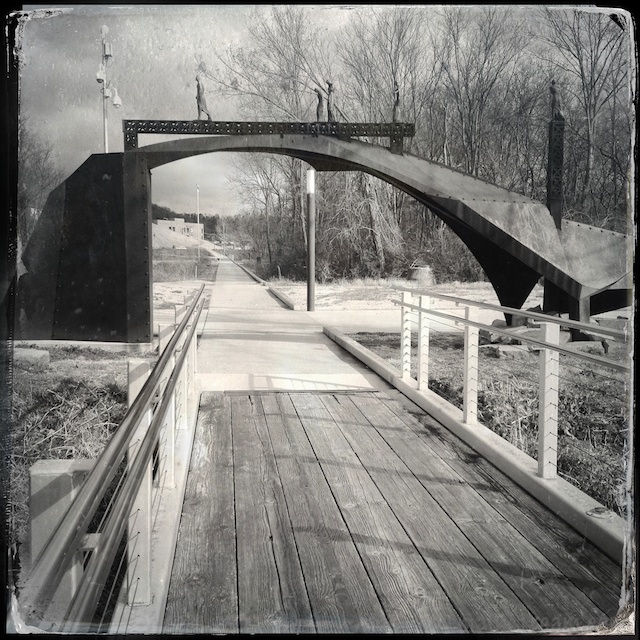
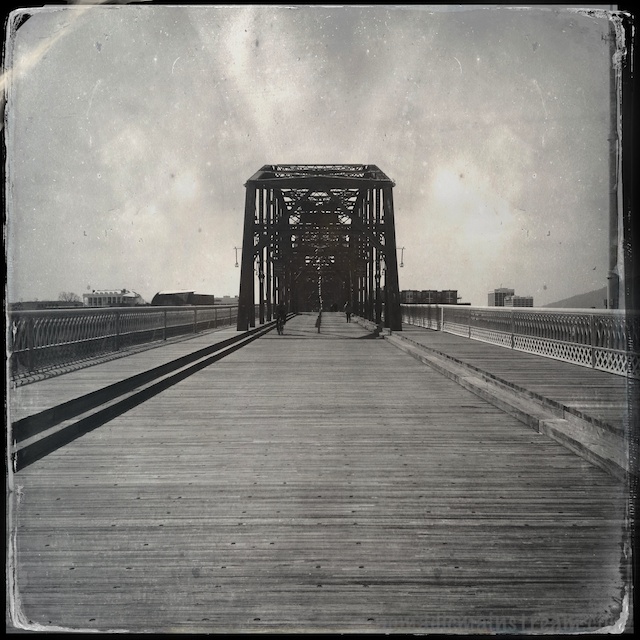
Looking up the slope from the North Shore end of the Walnut Street Bridge

Looking up the slope from the North Shore end of the Walnut Street Bridge

I may be suffering from Hipstamatic addiction.  I started thinking about all the riverfront scenery we haven’t been frequenting this winter and how great it would look in the tintype style.  So, Tisen and I took a longer walk than we’ve taken in a while and headed over to the Walnut Street bridge.  It was the perfect day for it.  The warmth and sunshine caused a growth spurt in the tourist population roaming the bridge.  Had I not been walking Tisen, I would have blended right in taking pictures with my iPhone.

The Walnut Street Bridge has been a frequent subject for many-a-photographer.  I’ve shot it so many times from so many angles, I keep thinking there aren’t any images left to capture.  But, I had never shot it with Hipstamatic!

Looking downstream from the North end of the bridge provides a nice view of the Delta Queen

Looking downstream from the North end of the bridge provides a nice view of the Delta Queen

According to Wikipedia, it’s “one of the longest pedestrian bridges in the world,” but when I tried to verify this, I quickly found 2 longer pedestrian bridges within the united states and 3 in other countries.  So, maybe it’s within the top 10 or so, but I couldn’t find an official list in the amount of time I was willing to spend searching.

According to my GPS, it’s about a half a mile long, which is consistent with Wikipedia’s measurement of 2,376 feet–264 feet shy of a half mile.  It’s historical significance is more interesting, but part of it is quite sad.  I’ll skip the gory details–those of you who are interested can find more information here.

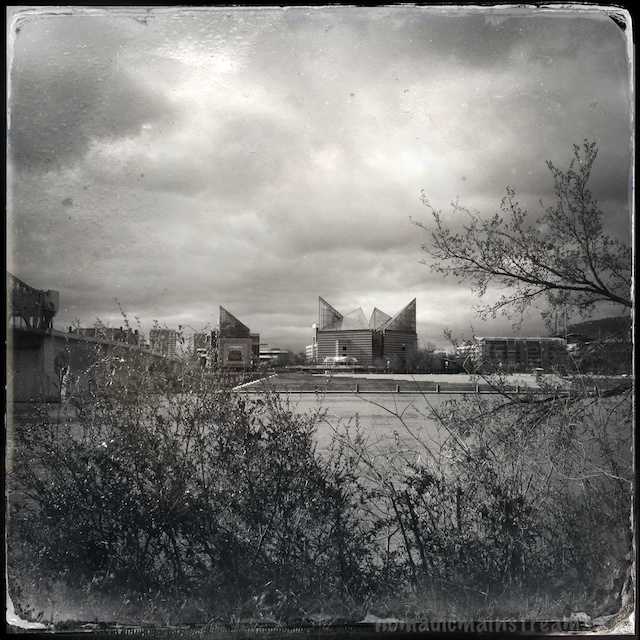
Lookout Mountain looms in the background behind the Tennessee Aquarium

Lookout Mountain looms in the background behind the Tennessee Aquarium

The happier state of the bridge began when a group of citizens in Chattanooga decided the bridge should be saved when it had been closed and abandoned for so long that it was a dangerous eyesore (this is hear-say information).  Now, it’s an awesome walking bridge.

As we made our way gradually across the bridge, greeting the occasional neighbor and exchanging smiles with strangers, Spring suddenly struck me.  By this, I mean I was suddenly overcome by that special joy that only happens when you get out in the sunshine on one of the first really warm days that kick off the season and know that winter is almost over.  Exhilaration.   That’s the word.

Looking through the bridge trusses toward the bluff and the Hunter Museum

Looking through the bridge trusses toward the bluff and the Hunter Museum

One of the unique aspects of the Walnut Street Bridge is the slope.  The North Shore end is just above the river while the Downtown end is up on the bluff, so it’s a pretty steep climb.

Tisen definitely felt the climb.  He seemed very happy to stop and let me shoot for once.  Every time I paused to shoot, he paused to pant, standing perfectly still.  I guess this means I can’t blame him for my misfires.

At the risk of falling once more into the “Always Perfect” pitfall of loving my subject so much I think every photo of him is worth sharing, I took this late last night:

Tisen and Daddy napping on the sofa (Daddy with a pillow over his head)
Tisen and Daddy napping on the sofa (Daddy with a pillow over his head)

Photo Fails: Part II

Continuing from yesterday’s post, here are a few more examples of obvious photographic failures and how to avoid them.

Foreign Objects in the Frame

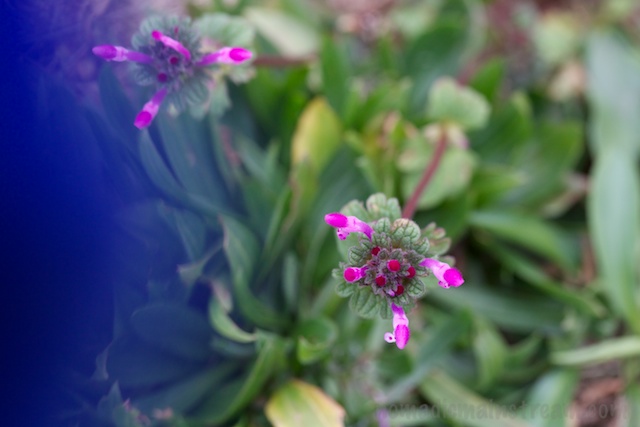
Holding Tisen's toy while shooting downward resulted in a blue blur in the frame

Holding Tisen’s toy while shooting downward resulted in a blue blur in the frame

How many images have you seen with someone’s finger in them?  This is especially a problem with smart phone photography–it can be challenging to hold the camera steady while tapping the screen without getting a finger over the lens.  Using an app that allows you to use the “Volume Up” button to take the shot on the iPhone 4S or 5 is a great help with this.  In this example, I was shooting with my DSLR while holding Tisen’s toy, Jack.  Lesson:  don’t hold a dog toy while shooting at a downward angle.

Choosing a different angle kept the toy out of the frame (as did setting it down on the ground while shooting)
Choosing a different angle kept the toy out of the frame (as did setting it down on the ground while shooting)

Bad Angle

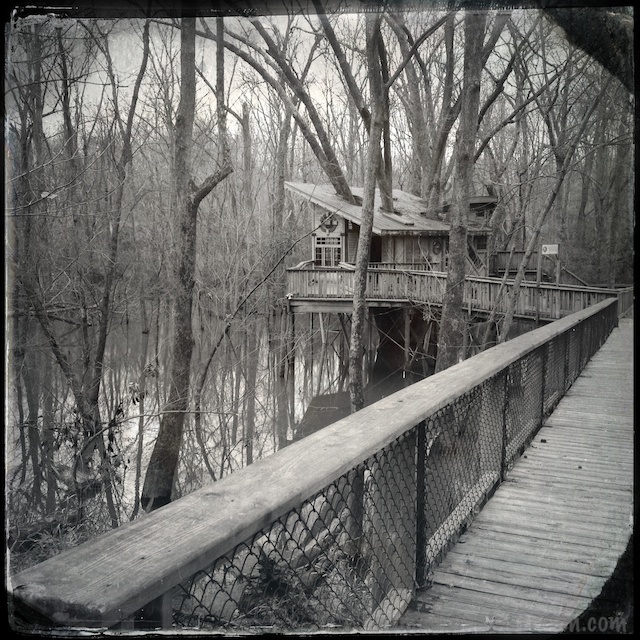
Tipping treehouse with corner of railing in the foreground doesn't work

Tipping treehouse with corner of railing in the foreground doesn’t work

This could have gone in the Hipsta-Tilt post I did a couple of days ago–the tree house is not vertical.  But, not only is the tree house looking like it was built on the side of a hill, but I managed to get the end of the railing in the frame as well.  Particularly because the rail is very light compared to the rest of the image, it immediately draws the eye away from anything you’re intended to look at.  The fix here is pretty obvious, but with an iPhone, it can be hard to hold still.  Setting the phone on the rail might have been a good way to avoid this (and might have added a really cool element to the image if it captured the rail running towards the treehouse diagonally).

While not perfect, the railing running diagonally and the nearly straight treehouse come closer

While not perfect, the railing running diagonally and the nearly straight treehouse come closer

Bad Timing

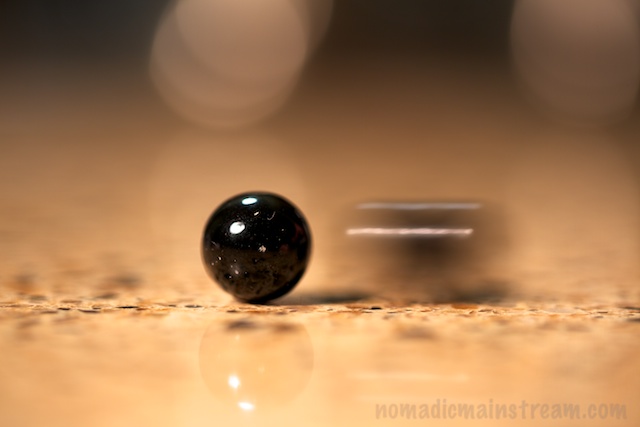
My subject is over shadowed by the finger of my husband trying to catch a marble that rolled out of the frame

My subject is over shadowed by the finger of my husband trying to catch a marble that rolled out of the frame

The end result isn’t so different from Foreign Objects, but the problem is different.  Rather than a finger slipping over the lens or something I’m holding hanging into the frame. this is a case where I captured the motion of my husband’s hand instead of the motion of the marble.  This particular set up required trying over and over until figuring it out.  But, when shooting a large object moving from left to right (or vise versa), the best solution is to find the subject through the lens when it’s still pretty far away, pan with it as it approaches, and take the shot when it’s in front of you.  I haven’t tried that with my iPhone yet–maybe that’s what I’ll do tomorrow?

No finger in the frame and a marble in motion was what I was shooting for

No finger in the frame and a marble in motion was what I was shooting for

Always Perfect

My blurred and under-exposed baby still looks perfect to me

My blurred and under-exposed baby still looks perfect to me

My final photo is perfect.  This is called “always perfect” because sometimes we are so emotionally attached to our subject that we think every shot of them is perfect.  There’s nothing wrong with that, but maybe we shouldn’t make our friends look at 500 pictures that are out of focus and mostly look the same.  🙂

Better exposure (right eye visible) and more in focus (at least the eye is sharp) make for a better image, although the background is distracting

Better exposure (right eye visible) and more in focus (at least the eye is sharp) make for a better image, although the background is distracting

Photo Fails: Part I

Professional photographers often take hundreds of photos to get the one image that really works.  But how often do we get to see the ones they discard?

I, as an amateur, am willing to share my mistakes.  For today’s post, I chose problems even the most inexperienced eye can spot–these apply whether you’re shooting with your smart phone or a DSLR.  I will have part 2 to this post tomorrow–couldn’t get it down to my 500 word limit.

Clumsy Errors

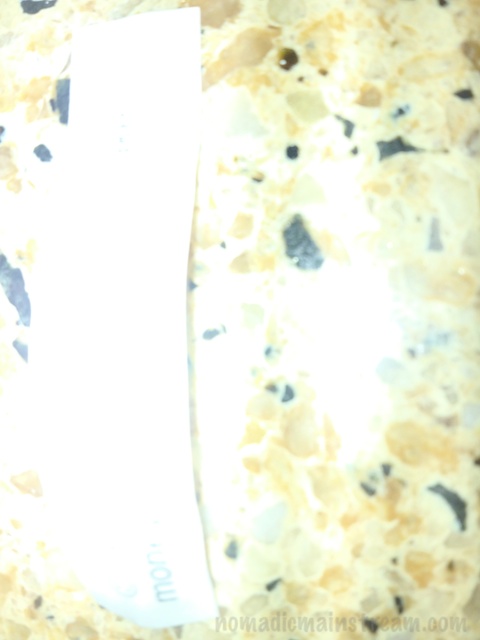
These occur when I do things like trip over my dog while trying to take a shot.  This image falls into the sub-category “improper camera holding while not shooting.”  This image happened by mistake when I accidentally put my finger on the shutter button while carrying the camera.

This is what happens when you shoot accidentally

This is what happens when you shoot accidentally

To avoid this, for my DSLR, a cross-shoulder strap holds the camera so I don’t have to.  With my iPhone, I end up with pocket shots.  To avoid this, I turn off the screen before I put the phone back in my pocket.

Blown Out Sky

This also has “uninteresting subject” and “crap composition” going for it, but let’s focus on the sky.  This happens when the shot is exposed for a dark subject and the sky is so bright that the camera cannot handle the difference in the light levels.  It’s often hard to avoid.  This is particularly challenging if you’re shooting with a smart phone app that doesn’t have exposure control, but sometimes you can get it to expose on something that’s halfway between the darkest and lightest parts of the image by tapping on the screen in the case of the iPhone camera.

Among the many problems with this image, the sky is over exposed ("blown out")

Among the many problems with this image, the sky is over exposed (“blown out”)

The other option is to use HDR.  It combines multiple exposures into one image.  On the iPhone, Pro HDR does this for you automatically.  The default camera app also has an HDR setting in the 4S and 5.  If you choose this option, it’s imperative to hold the phone as still as possible.

Inappropriate Use of Flash

I see this all the time.  ALL the time.  This is an iPhone shot of a fortune.  It was funny, but you can’t tell because the flash overexposed the subject.  Hint:  Turn the flash off!  When you use it, use it on purpose. Otherwise, it will fire in situations when it will do you no good (like flashes popping in the audience of an arena) and even situations when it will ruin the shot (often seen when people stand squarely in front of an aquarium and try to get a shot of a fish through the glass).  If you need the flash, turn it on.  If you don’t know if you need it, turn it off.

I wonder what my fortune was?

I wonder what my fortune was?

Got Cravens?

One end of Cravens House with a leafless tree against background clouds

One end of Cravens House with a leafless tree against background clouds–can you spot Pat and Tisen?

After our little adventure at the Nature Center (yesterday’s post), we drove up Lookout Mountain a couple of miles to Cravens House, part of the Chickamauga and Chattanooga National Military Park.

Cravens House is not spectacular from an architectural perspective, but the history of the place, the view, and the fact that it’s a trailhead for many great trails more than make up for the lack of creative design.

We thought it would be a good destination to walk around with Tisen for a half hour or so, expecting to walk through the woods until we tired and then turn around and come back.  We were not dressed for serious hiking.  I had on my typical casual outfit, including a winter coat perfect for going to a casual dinner.  The exception was my hiking boots and rolled up jeans–just in case there was mud.  Pat also was dressed in his casual gear meaning a T-shirt, sweatshirt, and corduroy jacket that isn’t exactly warm.

This is only one of many monuments commemorating units who fought in the civil war, many of them from the Union

This is only one of many monuments commemorating units who fought in the civil war, many of them from the Union

When we got out of the car, the wind blasted us, immediately making it feel 15 degrees colder than lower down the mountain.  Snow flurries started falling from the gray, gray sky.  Tisen gave us a look when he hopped out of the van that seemed to say, “Really?  We drove all the way up here for this?”

We made our way across the wind-blasted lawn, the only ones out and about at this elevation.  We made a circular lap past Cravens House, then past the giant monument in the lawn and over to an odd looking half-modern, half-historical log cabin.  We paused behind the cabin, seeking shelter from the wind while Tisen sniffed.

The more historic looking end of the log cabin with a pine tree blending into the chimney

The more historic looking end of the log cabin

Tisen has a funny habit.  Well, he has many funny habits.  One of them is quite funny to watch, but has been very challenging to catch on camera.  He backs up to a bush, hunches up his back like he needs to heed the call of nature, and then sways his rear end back and forth under the tree branches, giving himself a good scratch.  He decided the shrubs behind the cabin represented the perfect opportunity for a good scratch.

A little more of Cravens House with a more visible Pat and Tisen

A little more of Cravens House with a more visible Pat and Tisen

This was about the time a car pulled into the parking lot and a man and a dog got out of it.  They’d come for a game of fetch.  The man was even less prepared for the cold than we were–he had no jacket at all.

The man didn’t see us until his dog came running over.  He apologized profusely, but the dogs greeted each other with proper dog etiquette and hit it off.  We asked if it was OK to let Tisen off his leash and soon, the dogs were chasing each other around the yard.  It made me sad that we don’t have a yard for Tisen to run around in.  He got the most exercise of all of us and completely stopped noticing the cold.

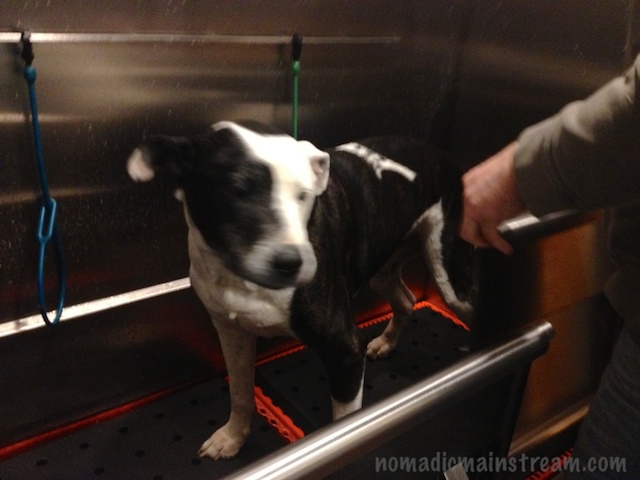
A less happy Tisen won't hold still for a picture when we took him for a post-romp bath

A less happy Tisen won’t hold still for a picture when we took him for a post-romp bath

Huff and Puff

Before the treehouse, another house on stilts provided a nice subject for tintype

Last Saturday, we decided to find something interesting to do that didn’t involve too much physical effort.  I suggested we go to the Chattanooga Arboretum and Nature Center to see the Red Wolves.  The Nature Center has one of the few red wolf breeding programs.  We have been to the Nature Center a few times, but we’ve never seen the red wolves.

I decided to take my DSLR with the 70-200mm lens, figuring we’d be pretty close to the wolves in their exhibit area, but I might need to zoom in.

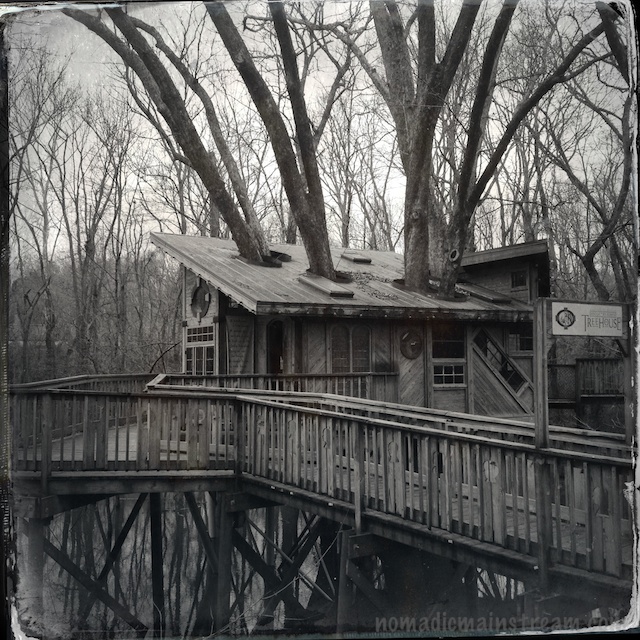
The treehouse with its tree coming through the roof

The treehouse with its tree coming through the roof

We took Tisen with us, although he’s not allowed in the nature center because it’s a wildlife preserve.  We figured we wouldn’t be there very long and he could hang out in the car.  Then, we’d take him somewhere he could get out and romp around a bit.

I put my DSLR around my neck, my iPhone in my pocket, and grabbed my wallet when we arrived.  We headed into the visitor’s center where we learned it would cost $10 each for our 20 minute visit to see the red wolves.  We decided to buy an annual family membership–it was a much better deal.

We headed down the boardwalk towards the Wildlife Wanderland exhibit.  Along the way, we discovered a really cool treehouse on stilts in a wetland.  Of course, my 70-200mm lens was too tight to get a good shot.  So, there I was, standing on the boardwalk with my expensive gear hanging around my neck while I used my iPhone to take Hipstamatic shots of the treehouse.  It reminded me of a photo someone shared on Facebook of a professional photographer standing on a sidewalk with 3 cameras, extra lenses, and various other equipment hanging off of him holding up his iPhone to take a picture.

The treehouse at the end of the boardwalk

The treehouse at the end of the boardwalk

The treehouse made a good subject for the tintype effect because of its setting.  But the contemporary angles of the roof, like the Tennessee Aquarium in earlier posts, create an anachronism in this old-fashioned style.

After exploring the treehouse, we moved on down the boardwalk to the canoe launch.  That was truly modern.  They have a dock that has a mini-canal in the middle of it to make it easier to get in and out of the canoe.  They also have a rack full of canoes–we’ll have to give those a try when the weather gets warmer.

Up close look at the crazy angles of the treehouse--love the diagonal window

Up close look at the crazy angles of the treehouse–love the diagonal window

Next stop: red wolves.  When we got to the junction leading to the Wildlife Wanderland, there was a chain across it with a “closed” sign hanging from it.  I guess we’ll have to take advantage of our new membership to see the red wolves–at least we won’t have to pay $20 every time.

When we returned to the car, Tisen was barking.  This is rare.  Usually he sits in the front seat and looks out the window quietly.  I’m not sure what got him barking, but he was happy to see us.

Tisen the cuddly wonder

Tisen the cuddly wonder

Hipsta-Tilt

Looking down the walkway in the park and across the river at the Tennessee Aquarium

Looking down the walkway in the park and across the river at the Tennessee Aquarium

I learned one of the limitations of shooting with an iPhone using an app like Hipstamatic, which applies all of the edits as you shoot:  fixing tilt doesn’t work out so well.  Because the effects applied to the images include a noticeable border, when I tried to straighten some of the images, I ended up with a crooked border.

Hipstamatic doesn’t have a level (or at least I haven’t found it) that appears in the screen like some apps.  When I’m shooting a scene with lots of angles and curves, I have a hard time telling when I’m level and when I’m not.  Sometimes I suspect I walk around at an angle.

I really want to love the image below, but in order to get the bridge piers straight, I ended up with some weird looking edges.  Notice the upper left hand corner compared to the right hand and how weird the lower right edge looks.  It really bugs me.

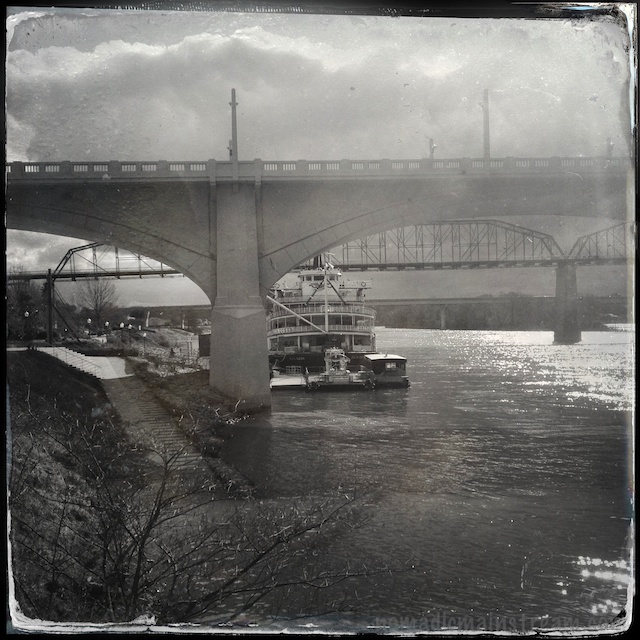
Bridge, clouds, steam boat, water taxi house--what more could I ask for?  Maybe a level.

Bridge, clouds, steam boat, water taxi house–what more could I ask for? Maybe a level.

The historic Walnut St pedestrian bridge in the background and the equally historic Delta Queen in the foreground with the little water taxi house/dock hovering over the water in front of it seemed like the perfect subject for tintype.  I’m starting to visualize me walking around with my iPhone in its Lifeproof case with a level glued to it.  That won’t look odd at all.

Tisen does not like Hipstamatic.  He probably doesn’t know this about himself.  None-the-less, his favorite part of photography is when I am sitting on the sofa with the laptop in my lap doing post-processing of the images and he is curled up next to me.

Looking up the street next to Market St bridge

Looking up the street next to Market St bridge

Hipstamatic reduced my post-processing to 5 minutes since I discovered doing much to the images besides adjusting levels was rather destructive.  That means less cuddle time for Tisen.

Unless, of course, it’s a Sunday morning, in which case it means setting aside my laptop sooner and giving him my undivided attention for an extra 20 minutes.  In that case, he probably likes Hipstamatic a lot.

The Delta Queen peeps from behind Market St bridge

The Delta Queen peeps from behind Market St bridge


However Tisen feels about Hipstamatic, he’s definitely been enjoying cuddling.  I’m not sure if it’s because the weather has been colder of late or if he’s just discovered the joys of being covered, but he suddenly needs to root under any available blanket.  This started when the weather was warmer, but he only wanted his head covered then.  We thought he was trying to block the light so he could nap more soundly.

Now, he burrows underneath until more or all of him is covered.  After a few minutes, he starts sounding like he’s wheezing and we move the blanket so at least his nose is exposed, worried that he’s not getting enough oxygen.  He often raises his head out from under the blanket and blinks at us as if he’s either confused or annoyed–or maybe both–when we do this.  But his breathing quiets and he keeps his head uncovered, so I’m thinking we’re doing the right thing.

Uh, honey?  Have you seen the dog?

Uh, honey? Have you seen the dog?

Hipstamatic Hype

IMG_1588

Hipstamatic stores the settings used with each image! Tinto 1884 Lens and Ina’s 1982 Film. Interesting blur effect.

Here’s a statistic for you:  in 30 minutes, I took 36 shots with my Hipstamatic app on my iPhone.  That’s while walking around a park with a dog (who was not exactly helpful when it came to setting up shots) by myself.

After shooting, I spent about 5 minutes on post-processing the photos making only a few slight adjustments to a few of the images.  I ended up with 15 images I liked well enough to share on my blog and 4 I’m seriously considering hanging on my wall (we’ll see how they look in print).

So, in 35 minutes, I netted 15 shareable images.  Comparatively, on our Christmas hike,  hand-holding my DSLR and using only 1 lens, I took 165 shots in about 5 hours, spent at least another hour on post-processing, and netted 35 shareable images and none I would consider hanging on my wall.  That’s nearly 2 minutes per shot.

In total, I invested over 10 minutes per shareable image with my DSLR compared to over 3 minutes per shareable image with Hipstamatic.  Hmm .  . .

Of course, I’m not ready to stop using my DSLR–the images I got with my DSLR are higher quality and better technically.   I just don’t decide what to hang on my wall based on those criteria.

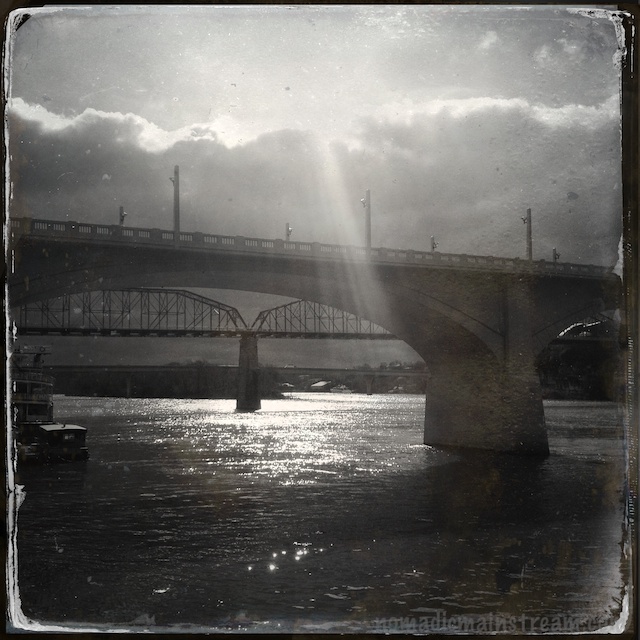
Sunbeams suddenly make their way through the clouds

Sunbeams suddenly make their way through the clouds

One of the big challenges I discovered on my meander through the park is the bright sunlight problem.  This is a universal problem for LCD display screens–you can’t see them in bright light.  I literally held the phone up completely blind and tried to guess if I was pointing at the bridges at a good angle.  While I might have framed the sun beams differently had I been able to see them, I was pretty impressed with the images.

Maybe not quite the framing I would have chosen, but not bad for shooting blind

Maybe not quite the framing I would have chosen, but not bad for shooting blind

That is one of the huge advantages of a camera with a view finder:  you can see what’s in the frame no matter how much sunlight there is.  Although, supposedly pointing the lens directly at the sun puts you in danger of damaging your eyes.  That might explain why my vision seems to be failing.

Trail of Tears sculpture shot from observation pier

Trail of Tears sculpture shot from observation pier

I love the trail of tears sculpture in the tintype settings in Hipstamatic.  I also like it shot from this position–I’ve shot it from the other side many times, but this is the first time I incorporated the observation pier in front of it.  The pole for the security cameras in the background doesn’t really work for me, but maybe I’ll see if it’s possible to remove that from the image without messing up the look.

Tisen ready to go sniff elsewhere

Tisen ready to go sniff elsewhere

Tisen quickly lost patience while I was shooting at the end of the observation pier overlooking the river.  I guess there weren’t any interesting scents on the pier to keep him entertained.  He kept picking up on scents he needed to run to check out each time I was pushing the shutter button.  I really need to provide better on-the-job training if he’s going to be my assistant.

Getting Hip to Hipstamatic

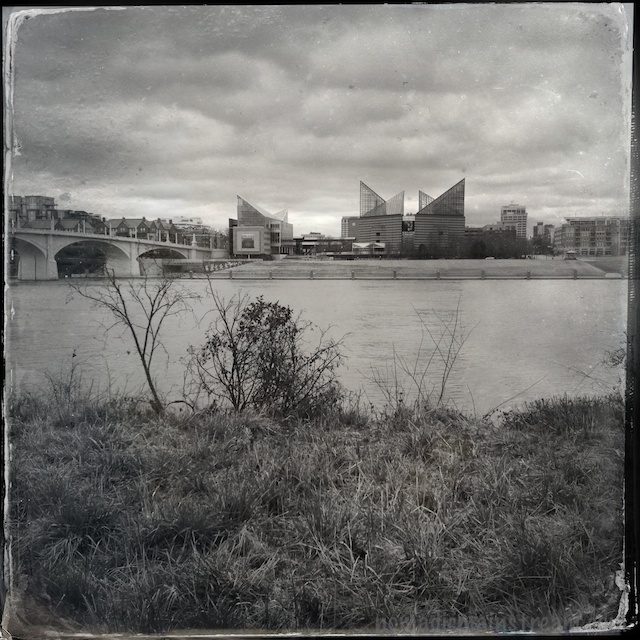
The aquarium takes on a whole new (old?) look in Hipstamatic

The aquarium takes on a whole new (old?) look in Hipstamatic

I did some searching on what other people are doing with their iPhones. I’ve been following Davide Capponi’s blog for quite a while now; he demonstrates that it’s possible to create art with the iPhone.

For now, I’m not after art so much as just discovering what’s achievable for people who don’t want to be photographers. I’ll worry about the next level when . . . well, when I’m ready for the next level.

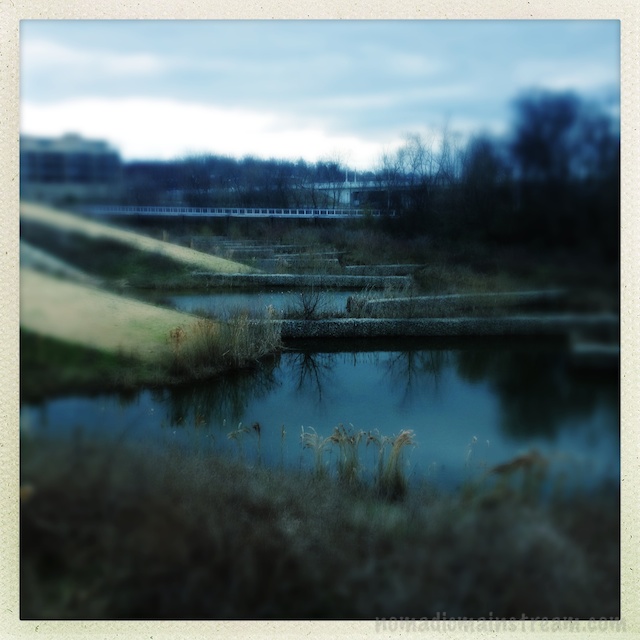
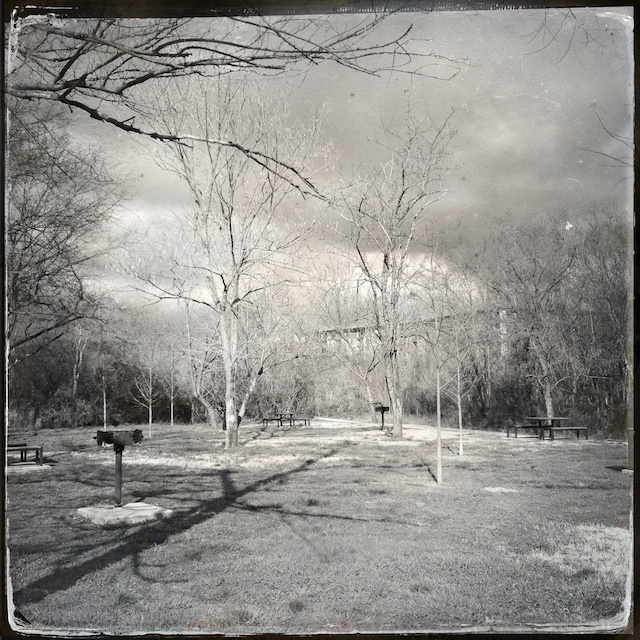
This modern park shot with retro effects seems like an anachronism

This modern park shot with retro effects seems like an anachronism

I decided to further explore the Hipstamatic app. I found a blog post by photo journalist Antonio Olmos; he shares inspiring street images shot with Hipstamatic in Derry, Northern Ireland.

I learned Hipstamatic creates effects based on three components: the “film” you choose, the “lens” you choose, and the “flash” you choose (if you use flash). Basically, it mimics the effects of retro equipment in software. I also discovered that while it comes with one package of lens, film, and flash choices, you can purchase more for $.99 a pack.

A relatively uninteresting scene takes on a completely different character in tintype

A relatively uninteresting scene takes on a completely different character in tintype

I decided to start by imitating. I purchased the pack that included the lens and film options used by Antonio Olmos (at least, I thought they were the same).

On my next walk with Tisen through our daily haunt, I went armed with the Hipstamatic app set with what I thought was the Helga lens and the c-type Tintype film. Somewhere along the line, I ended up with the D-Type film and some other lens. This may have been because a) I was holding the phone and Tisen’s leash in the same hand, and b) Hipstamatic has a feature that randomly selects settings if you shake the camera.

This sculpture/structure seems like a good fit for the tintype effect

This sculpture/structure seems like a good fit for the tintype effect

A few words about using Hipstamatic.

First, I left the app on the entire time I was walking and discovered my iPhone 4S battery died after only 30 minutes. This was the shortest period of time my phone ever lasted. I need to upgrade iOS, which might help, but I suggest turning off the screen (by pressing the button on top of the phone until the screen goes dark) when not shooting. On the plus side, Hipstamatic did not lose any of my images when the phone shutdown unexpectedly.

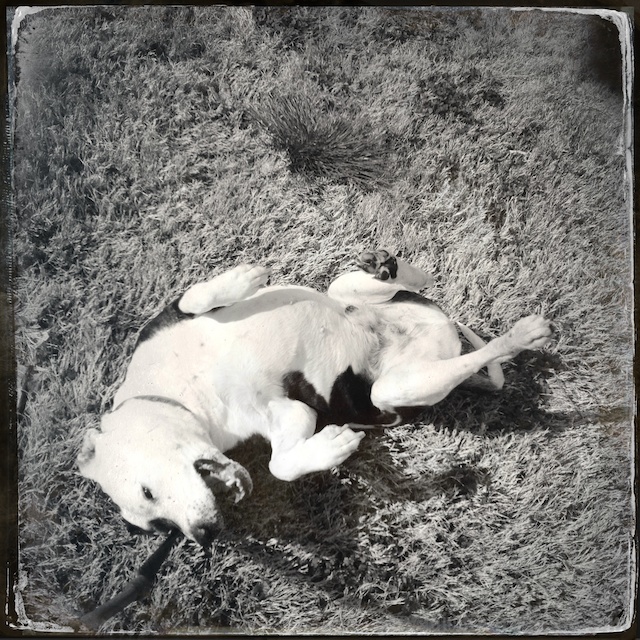
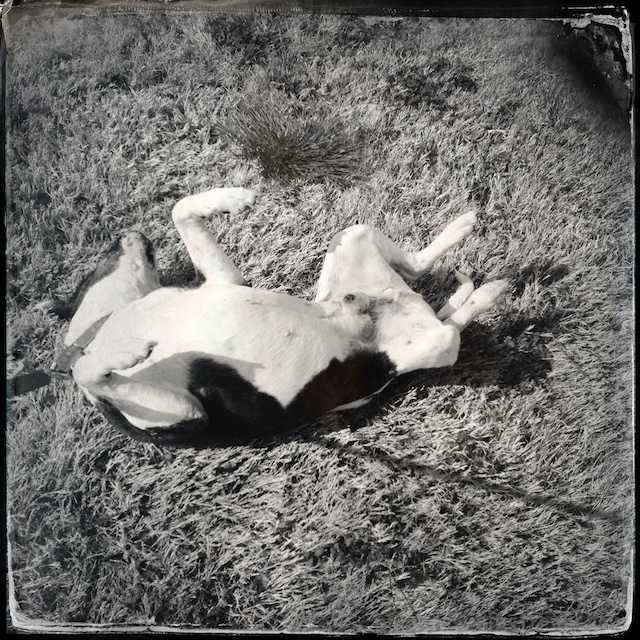
Tisen rolls for the camera

Tisen rolls for the camera

Second, the Hipstamatic mimics medium-format film, which, in a word, is square. Having practiced viewing the world through a rectangle for many years now, I found this disconcerting. For example, I kept looking at the scene and making decisions like, “I think I’ll shoot that vertically so I can get some sky.”

In fact, I turned my phone vertically on several occasions, feeling rather foolish by the third time I made that mistake. I mentally smacked my forehead and said out loud, “Oh yeah, it’s a SQUARE!” Tisen seemed perplexed by my commentary, but he’s pretty used to me talking to myself by now.

Third, some images have vignetting (in this case, dark corners) and some don’t. Sometimes it occurs in the top two corners, sometimes only one. I haven’t quite figured out what causes the variability.

Finally, even Tisen looks nostalgic using this combination of settings in the app. While the effect is fun, the one thing I don’t like about Hipstomatic is you get what you get. You can’t undo the tintype effect and try something else.

I like the tintype effect on the clouds in particular

I like the tintype effect on the clouds in particular

Photo Apptitude

Tisen takes a roll in a brief beam of sunlight on an otherwise gray day

Tisen takes a roll in a brief beam of sunlight on an otherwise gray day

While I was experimenting with iPhone camera apps yesterday, I also decided to try out two photo editing apps recommended by elessar78 (aka, a friend of mine and a far better photographer).  I also included Hipstamatic in the category of “photo editing” because the output from this app always has effects applied to it.

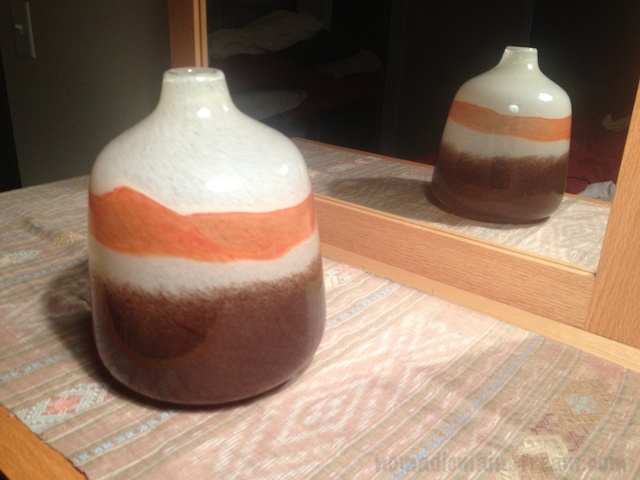
The unedited version used with Photoforge and Snapseed

The unedited version used with Photoforge and Snapseed

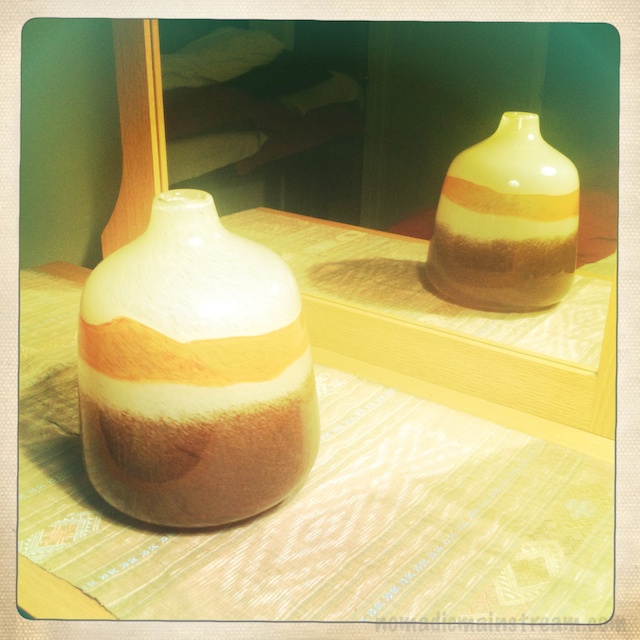
For ease of use, Hipstamatic gets a gold star.  Although, I did not find it intuitive to figure out how to get different effects.  I shot this image with the settings it had for that reason.  I will have to play more with this app to figure out what else it will do–I wasn’t too impressed with the effect I got with the current settings.

Hipstamatic shot without changing any settings

Hipstamatic shot without changing any settings

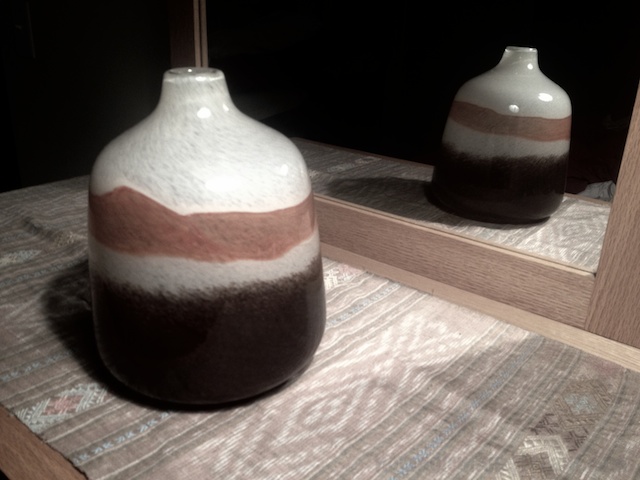
Snapseed was, in fact, a snap.  It had the advantage that I could apply different adjustments to an unaltered photo, meaning I could get many different looks from one shot instead of, like Hipstamatic, getting one set of adjustments that can’t be undone or redone differently.  The disadvantage, of course, is that you take the photo with one app and then do the editing in a separate app, which may be more than the average iPhone shooter wants to deal with.

Snapseed edited using black and white slider

Snapseed edited using black and white slider and texture effects

To create this version of the image, I changed it to black and white and then used the very simple slider to make it slightly less black and white, allowing some of the color to remain.  This is the same effect using a saturation slider has, but it was easier and more intuitive for someone who doesn’t normally do any photo editing.

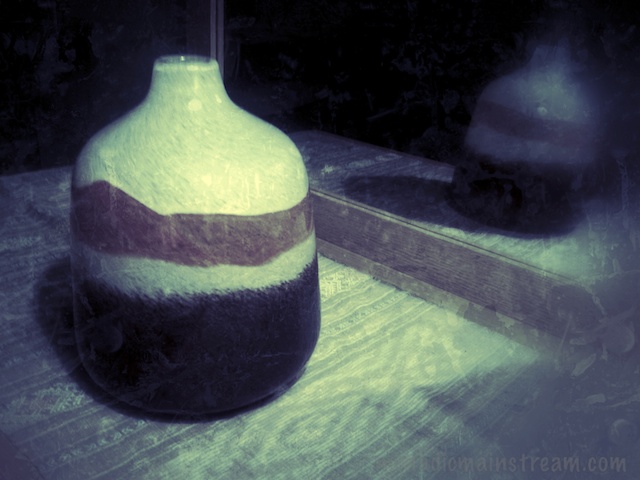
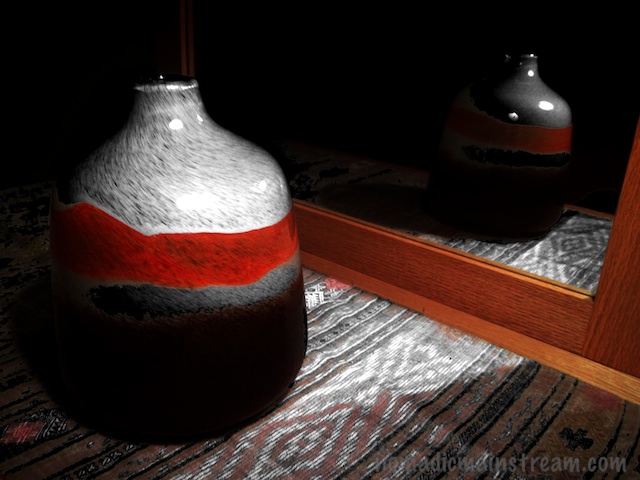
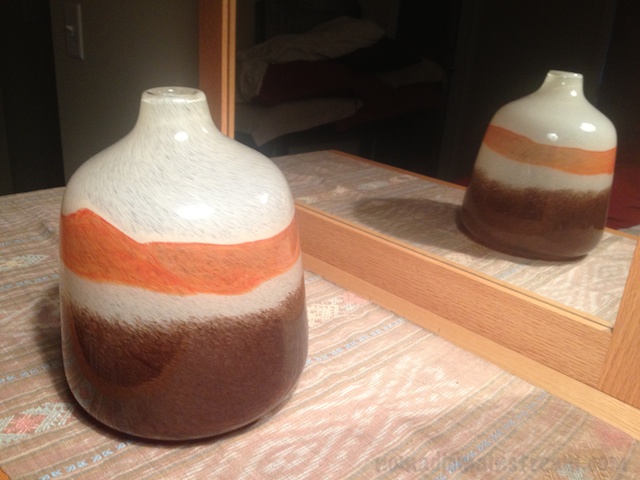
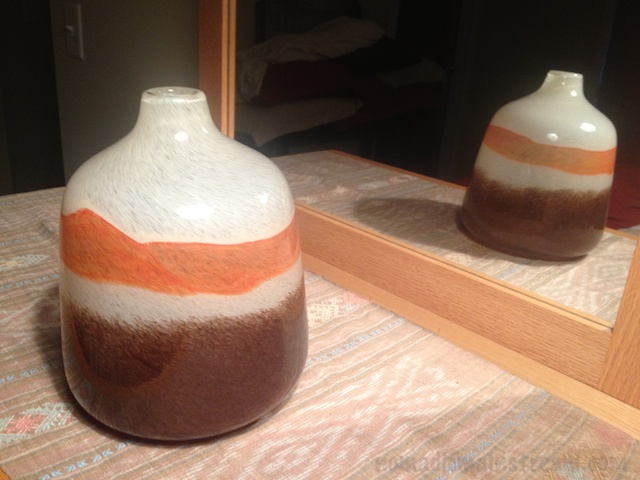
Photoforge has many more editing tools than Snapseed and may, for that reason, be less appealing to the photo-editing-fobes of the world.  I stuck with only one menu of tools (filters) and played with some of the adjustments to get this very dark version of the image.

I like the way the detail in the weaving under the vase pops in this edit as well as the strong contrast between the light and dark areas.  I also like that the background went to black and left only a partial reflection of the vase in the mirror.

Imaged edited with Photoforge

Imaged edited with Photoforge

The best feature of Photoforge that I used was the undo button.  It allowed me to try whatever adjustment I wanted and then undo it if I didn’t like it.

A fun aspect of doing photo editing on the iPhone is that, because I use the Apple iCloud service that syncs all devices via the internet, once I saved my edited versions, they automatically showed up in my Aperture photostream on my laptop.  I could have done further adjusting in Aperture easily, although I didn’t for the sake of comparing effects from the apps themselves.

Tisen remains unimpressed by technology.  All he wants to know is when I will stop playing with my phone and take him for a walk.  I obliged.  Although the photo of Tisen was actually taken the next day–more on that later.

Appventure

My silly boy "awesomized" by Camera!

My silly boy “awesomized” by Camera!

I tried a little experiment comparing the collection of iPhone photography apps I have.  I picked a vase sitting on a dresser in front of a mirror for a subject instead of trying to capture my rambunctious dog whose immediate reaction to having any form of a camera pointed at him is to either run towards me or start turning his head back and forth.

I learned some lessons I didn’t expect to learn from this test.  First, no metadata is captured in the photos that identifies which app was used to take them.  This made it difficult to identify which photos were taken with which app.  Maybe when someone starts paying me to test iPhone photo apps I’ll do that.

"Awesomized" image from Camera! app (using their built-in editing)

“Awesomized” image from Camera! app (using their built-in editing)

While I did my best to reconstruct this (and in some cases it was obvious), I can’t guarantee I’ve accurately matched unedited photos with apps.  I did, however, do editing one photo at a time so I could keep track.

Another surprise lesson was that some apps don’t save the image you’ve created automatically.  HDR Pro was one that I tested, but then lost the image when I tried to find it after the fact.  Same problem with Camera Plus.  Or else I just couldn’t find the images because of the aforementioned problem.

Camera+ edited version using the black and white slider to make it not quite black and white--also darkened

Camera+ edited version using the black and white slider to make it not quite black and white–also darkened

Tisen did not, as usual, enjoy my photographic experiment.  He started out lying in his bed at my feet undoubtedly thinking I was there for the purpose of giving him a belly rub.  When I ignored him, he decided to try ignoring me and moved into the living room.  When this didn’t result in me following him to the living room, he came back in to check on what in the heck I was doing.

I made amends by taking a few shots of him when I was done with my test.  He seemed grateful enough for the attention to hold relatively still.

Here is my summary:

I tested 5 Apps:  The iPhone default camera app, Camera+, Camera!, Hipstamatic, Pro HDR and Camera Plus.  Since I lost the photos from Pro HDR and Camera Plus and Hipstamatic is more of an “instant photo editing” app than an enhanced camera, I haven’t included images from those two.

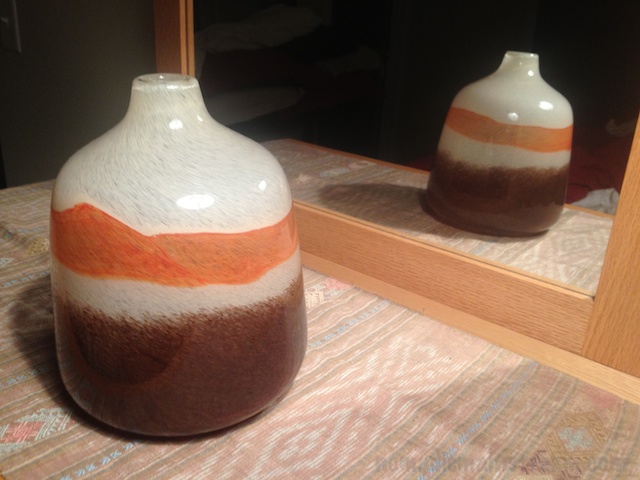
There is little difference in the quality of the unedited image from one app to the next with the exception of the Camera! app.  This may be because I turned on image stabilization in this app.  That feature does make a difference.

Camera+ Version

Camera+ Version

"Image Stabilized" shot from Camera!

“Image Stabilized” shot from Camera!

The default camera app on the iPhone

The default camera app on the iPhone

The experience of getting the image is made harder or easier by the overlays available for framing the image.  I like the Golden Rule overlay in Camera! the best.

The exposure control in Camera+ is minimal and I found it takes quite a bit more time to adjust the exposure and then have to reframe the subject because the act of changing the exposure causes me to move the camera all over the place.

Frankly, I think a tripod might help more than an app.