Signaling Spring

Looking up the walk from the Signal Point Overlook to the parking lot

Looking up the walk from the Signal Point Overlook to the parking lot

Ahh, spring.  Winter teased us with warm spells followed by cold spells that seemed to get colder just when we thought it was almost over.  I found myself counting on those surprise warm spells about when they stopped coming.  While it’s premature to assume the cold weather is over, it sure was nice to have a sunny day in the 70’s on a Saturday for a change!

We decided we’d try something new and go to Snoopers Rock.  Reportedly, Snoopers Rock has the best view of the Tennessee River Gorge from Signal Mountain and it’s a short walk from the trailhead parking lot.  These were both pluses–my husband’s joints are suffering and he still isn’t up for more than a mile or two.

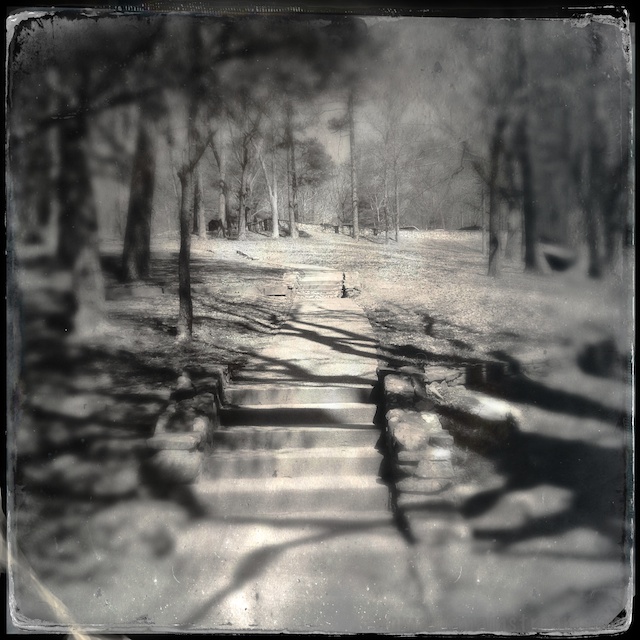
Revisiting Signal Point during the worst time of day from a lighting perspective called for Hipstamatic's Tintype kit

Revisiting Signal Point during the worst time of day from a lighting perspective called for Hipstamatic’s Tintype kit

Since Snoopers Rock is in the same park as Signal Point, we started driving towards Signal Point while I found directions on my iPhone.  We soon discovered we had passed the turn to Snoopers Rock.  Since we had most of the day, we decided to keep going, grab some lunch and make a detour up to Signal Point before heading on to Snoopers Rock.

Slightly different version of the same scene as above--I can't decide if I like it better or not

Slightly different version of the same scene as above–I can’t decide if I like it better or not

I switched apps to the Urbanspoon to see what food was available nearby.  We discovered the Southern Star Take-Out Cafe was right down the road.  I’ve heard of the Southern Star cafe–it’s supposed to have very good down-home fare.  The “Take-Out” is a second location that has foods designed to go.  We decided to give it a try.

We grabbed a couple cups of stew, a Waldorf salad, some sort of pea salad, and some of the sweetest sweet tea (even though we mixed it with unsweetened tea) we’ve ever tasted.

Leaning over the overlook rock wall, swatting flies, and shooting with the iPhone, I was happy I didn't drop my phone

Leaning over the overlook rock wall, swatting flies, and shooting with the iPhone, I was happy I didn’t drop my phone

At Signal Point, we sat in the car, overlooking the park, with the windows down eating our lunch.  The wind blew through the windows keeping us cool.  I smiled to myself as I ate, thinking how nice it was to need the breeze to keep from getting too warm.

Once our bellies were full (the food was yummy), we walked the 50 yards or so from the parking lot to the overlook.  I, of course, whipped out my iPhone, switched to Hipstamatic, set the “film” to D-Type Tintype style in black-and-white, and planned to take my time getting some images of the gorge.

In this shot of the steps up the hill, the steps in the foreground disappeared in the blur created by Hipstamatic

In this shot of the steps up the hill, the steps in the foreground disappeared in the blur created by Hipstamatic

This was about the time we discovered we weren’t the only ones enjoying the spring weather.  I’ve not been able to identify them, but they were something between a fly and a gnat and they were swarming everywhere.  They stuck to my clothes, in my hair, to my sunglasses, and even to my iPhone.  Tisen turned in circles chasing them and was quickly ready to go.

Pat and Tisen moved up to the gazebo in the hope of getting away from the bugs, but they were everywhere.  I ended up rushing my shots after all.  Tisen looked relieved when we headed back up the hill to the parking lot.

The Hipstamatic "lens" created a very shallow depth of field--only Pat remains in focus

The Hipstamatic “lens” created a very shallow depth of field–only Pat remains in focus (with his hair blowing in the wind)

Photo Fails: Part I

Professional photographers often take hundreds of photos to get the one image that really works.  But how often do we get to see the ones they discard?

I, as an amateur, am willing to share my mistakes.  For today’s post, I chose problems even the most inexperienced eye can spot–these apply whether you’re shooting with your smart phone or a DSLR.  I will have part 2 to this post tomorrow–couldn’t get it down to my 500 word limit.

Clumsy Errors

These occur when I do things like trip over my dog while trying to take a shot.  This image falls into the sub-category “improper camera holding while not shooting.”  This image happened by mistake when I accidentally put my finger on the shutter button while carrying the camera.

This is what happens when you shoot accidentally

This is what happens when you shoot accidentally

To avoid this, for my DSLR, a cross-shoulder strap holds the camera so I don’t have to.  With my iPhone, I end up with pocket shots.  To avoid this, I turn off the screen before I put the phone back in my pocket.

Blown Out Sky

This also has “uninteresting subject” and “crap composition” going for it, but let’s focus on the sky.  This happens when the shot is exposed for a dark subject and the sky is so bright that the camera cannot handle the difference in the light levels.  It’s often hard to avoid.  This is particularly challenging if you’re shooting with a smart phone app that doesn’t have exposure control, but sometimes you can get it to expose on something that’s halfway between the darkest and lightest parts of the image by tapping on the screen in the case of the iPhone camera.

Among the many problems with this image, the sky is over exposed ("blown out")
Among the many problems with this image, the sky is over exposed (“blown out”)

The other option is to use HDR.  It combines multiple exposures into one image.  On the iPhone, Pro HDR does this for you automatically.  The default camera app also has an HDR setting in the 4S and 5.  If you choose this option, it’s imperative to hold the phone as still as possible.

Inappropriate Use of Flash

I see this all the time.  ALL the time.  This is an iPhone shot of a fortune.  It was funny, but you can’t tell because the flash overexposed the subject.  Hint:  Turn the flash off!  When you use it, use it on purpose. Otherwise, it will fire in situations when it will do you no good (like flashes popping in the audience of an arena) and even situations when it will ruin the shot (often seen when people stand squarely in front of an aquarium and try to get a shot of a fish through the glass).  If you need the flash, turn it on.  If you don’t know if you need it, turn it off.

I wonder what my fortune was?

I wonder what my fortune was?

Huff and Puff

Before the treehouse, another house on stilts provided a nice subject for tintype

Last Saturday, we decided to find something interesting to do that didn’t involve too much physical effort.  I suggested we go to the Chattanooga Arboretum and Nature Center to see the Red Wolves.  The Nature Center has one of the few red wolf breeding programs.  We have been to the Nature Center a few times, but we’ve never seen the red wolves.

I decided to take my DSLR with the 70-200mm lens, figuring we’d be pretty close to the wolves in their exhibit area, but I might need to zoom in.

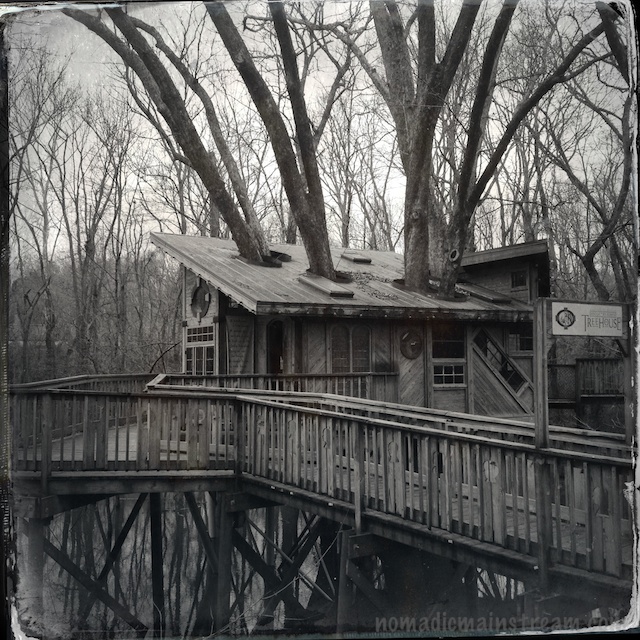
The treehouse with its tree coming through the roof

The treehouse with its tree coming through the roof

We took Tisen with us, although he’s not allowed in the nature center because it’s a wildlife preserve.  We figured we wouldn’t be there very long and he could hang out in the car.  Then, we’d take him somewhere he could get out and romp around a bit.

I put my DSLR around my neck, my iPhone in my pocket, and grabbed my wallet when we arrived.  We headed into the visitor’s center where we learned it would cost $10 each for our 20 minute visit to see the red wolves.  We decided to buy an annual family membership–it was a much better deal.

We headed down the boardwalk towards the Wildlife Wanderland exhibit.  Along the way, we discovered a really cool treehouse on stilts in a wetland.  Of course, my 70-200mm lens was too tight to get a good shot.  So, there I was, standing on the boardwalk with my expensive gear hanging around my neck while I used my iPhone to take Hipstamatic shots of the treehouse.  It reminded me of a photo someone shared on Facebook of a professional photographer standing on a sidewalk with 3 cameras, extra lenses, and various other equipment hanging off of him holding up his iPhone to take a picture.

The treehouse at the end of the boardwalk

The treehouse at the end of the boardwalk

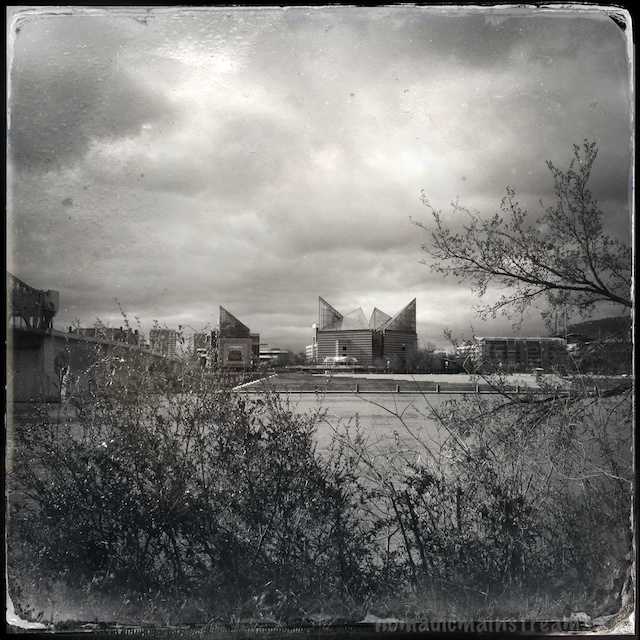
The treehouse made a good subject for the tintype effect because of its setting.  But the contemporary angles of the roof, like the Tennessee Aquarium in earlier posts, create an anachronism in this old-fashioned style.

After exploring the treehouse, we moved on down the boardwalk to the canoe launch.  That was truly modern.  They have a dock that has a mini-canal in the middle of it to make it easier to get in and out of the canoe.  They also have a rack full of canoes–we’ll have to give those a try when the weather gets warmer.

Up close look at the crazy angles of the treehouse--love the diagonal window

Up close look at the crazy angles of the treehouse–love the diagonal window

Next stop: red wolves.  When we got to the junction leading to the Wildlife Wanderland, there was a chain across it with a “closed” sign hanging from it.  I guess we’ll have to take advantage of our new membership to see the red wolves–at least we won’t have to pay $20 every time.

When we returned to the car, Tisen was barking.  This is rare.  Usually he sits in the front seat and looks out the window quietly.  I’m not sure what got him barking, but he was happy to see us.

Tisen the cuddly wonder

Tisen the cuddly wonder

Getting Hip to Hipstamatic

The aquarium takes on a whole new (old?) look in Hipstamatic

The aquarium takes on a whole new (old?) look in Hipstamatic

I did some searching on what other people are doing with their iPhones. I’ve been following Davide Capponi’s blog for quite a while now; he demonstrates that it’s possible to create art with the iPhone.

For now, I’m not after art so much as just discovering what’s achievable for people who don’t want to be photographers. I’ll worry about the next level when . . . well, when I’m ready for the next level.

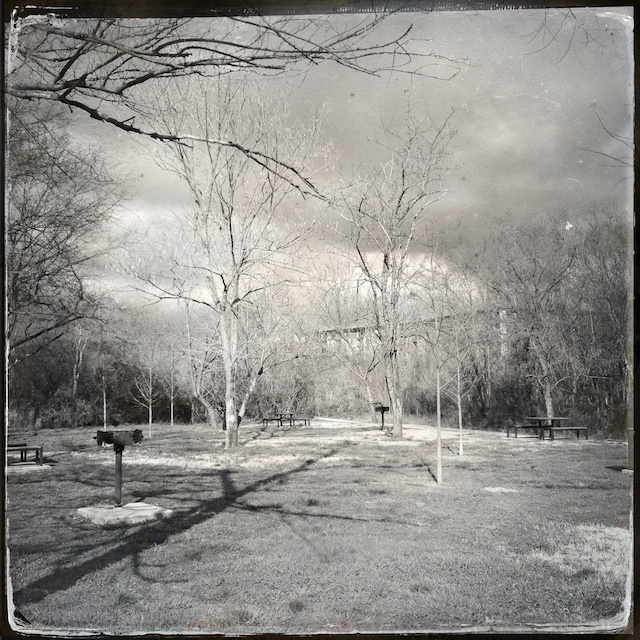
This modern park shot with retro effects seems like an anachronism

This modern park shot with retro effects seems like an anachronism

I decided to further explore the Hipstamatic app. I found a blog post by photo journalist Antonio Olmos; he shares inspiring street images shot with Hipstamatic in Derry, Northern Ireland.

I learned Hipstamatic creates effects based on three components: the “film” you choose, the “lens” you choose, and the “flash” you choose (if you use flash). Basically, it mimics the effects of retro equipment in software. I also discovered that while it comes with one package of lens, film, and flash choices, you can purchase more for $.99 a pack.

A relatively uninteresting scene takes on a completely different character in tintype

A relatively uninteresting scene takes on a completely different character in tintype

I decided to start by imitating. I purchased the pack that included the lens and film options used by Antonio Olmos (at least, I thought they were the same).

On my next walk with Tisen through our daily haunt, I went armed with the Hipstamatic app set with what I thought was the Helga lens and the c-type Tintype film. Somewhere along the line, I ended up with the D-Type film and some other lens. This may have been because a) I was holding the phone and Tisen’s leash in the same hand, and b) Hipstamatic has a feature that randomly selects settings if you shake the camera.

This sculpture/structure seems like a good fit for the tintype effect

This sculpture/structure seems like a good fit for the tintype effect

A few words about using Hipstamatic.

First, I left the app on the entire time I was walking and discovered my iPhone 4S battery died after only 30 minutes. This was the shortest period of time my phone ever lasted. I need to upgrade iOS, which might help, but I suggest turning off the screen (by pressing the button on top of the phone until the screen goes dark) when not shooting. On the plus side, Hipstamatic did not lose any of my images when the phone shutdown unexpectedly.

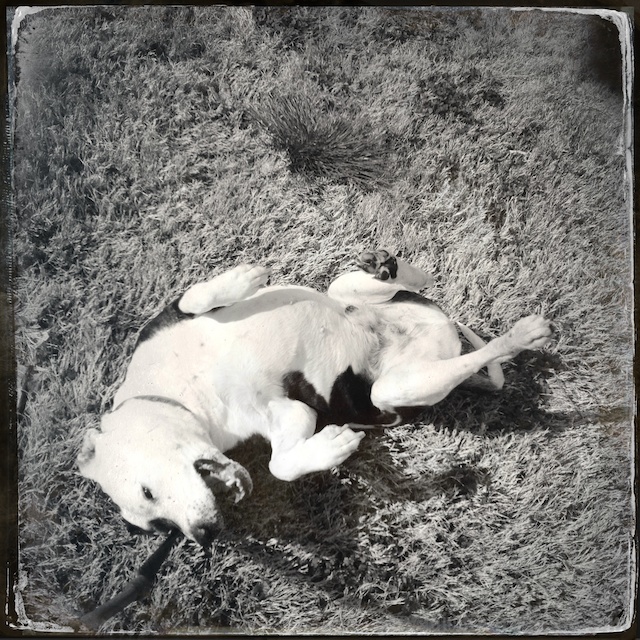
Tisen rolls for the camera

Tisen rolls for the camera

Second, the Hipstamatic mimics medium-format film, which, in a word, is square. Having practiced viewing the world through a rectangle for many years now, I found this disconcerting. For example, I kept looking at the scene and making decisions like, “I think I’ll shoot that vertically so I can get some sky.”

In fact, I turned my phone vertically on several occasions, feeling rather foolish by the third time I made that mistake. I mentally smacked my forehead and said out loud, “Oh yeah, it’s a SQUARE!” Tisen seemed perplexed by my commentary, but he’s pretty used to me talking to myself by now.

Third, some images have vignetting (in this case, dark corners) and some don’t. Sometimes it occurs in the top two corners, sometimes only one. I haven’t quite figured out what causes the variability.

Finally, even Tisen looks nostalgic using this combination of settings in the app. While the effect is fun, the one thing I don’t like about Hipstomatic is you get what you get. You can’t undo the tintype effect and try something else.

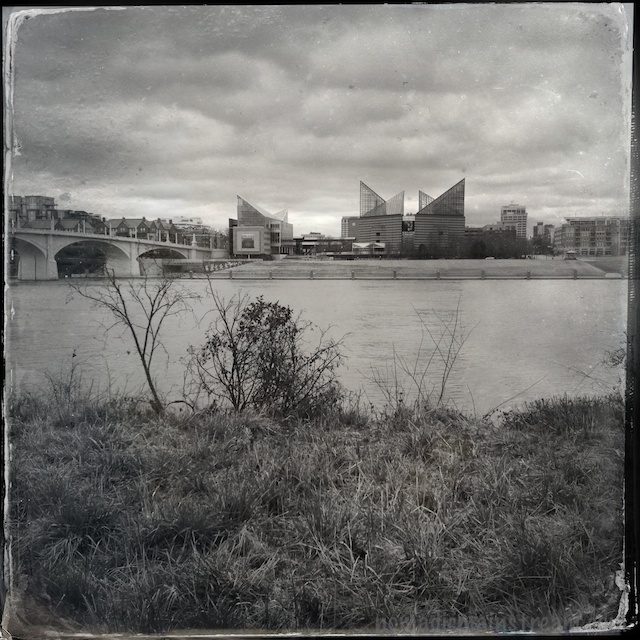
I like the tintype effect on the clouds in particular

I like the tintype effect on the clouds in particular

Photo Apptitude

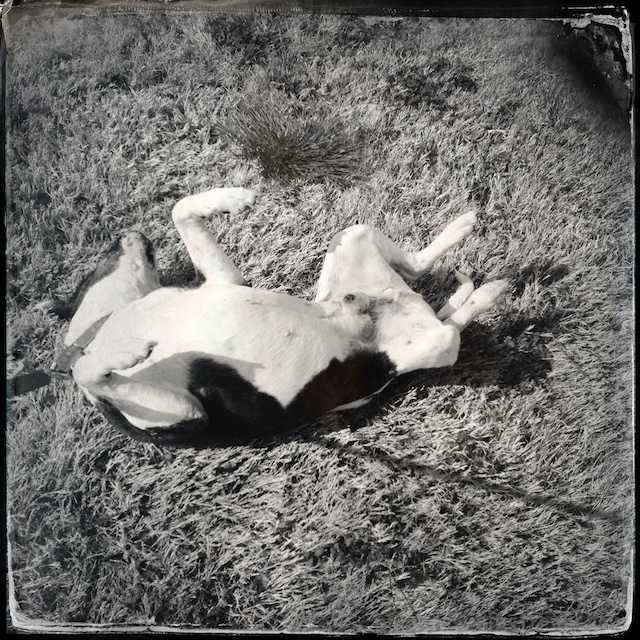
Tisen takes a roll in a brief beam of sunlight on an otherwise gray day

Tisen takes a roll in a brief beam of sunlight on an otherwise gray day

While I was experimenting with iPhone camera apps yesterday, I also decided to try out two photo editing apps recommended by elessar78 (aka, a friend of mine and a far better photographer).  I also included Hipstamatic in the category of “photo editing” because the output from this app always has effects applied to it.

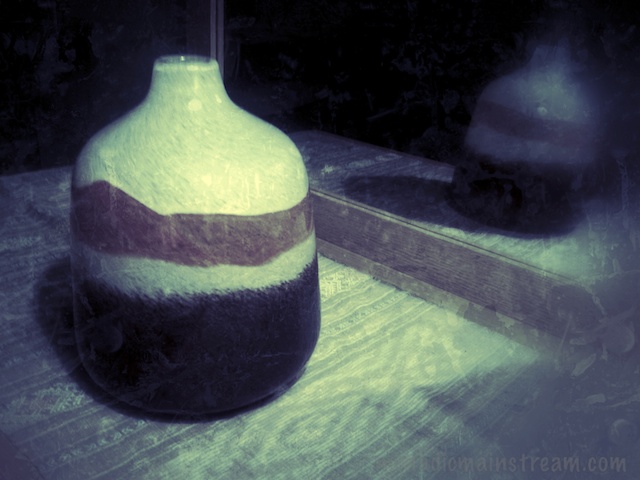
The unedited version used with Photoforge and Snapseed

The unedited version used with Photoforge and Snapseed

For ease of use, Hipstamatic gets a gold star.  Although, I did not find it intuitive to figure out how to get different effects.  I shot this image with the settings it had for that reason.  I will have to play more with this app to figure out what else it will do–I wasn’t too impressed with the effect I got with the current settings.

Hipstamatic shot without changing any settings

Hipstamatic shot without changing any settings

Snapseed was, in fact, a snap.  It had the advantage that I could apply different adjustments to an unaltered photo, meaning I could get many different looks from one shot instead of, like Hipstamatic, getting one set of adjustments that can’t be undone or redone differently.  The disadvantage, of course, is that you take the photo with one app and then do the editing in a separate app, which may be more than the average iPhone shooter wants to deal with.

Snapseed edited using black and white slider

Snapseed edited using black and white slider and texture effects

To create this version of the image, I changed it to black and white and then used the very simple slider to make it slightly less black and white, allowing some of the color to remain.  This is the same effect using a saturation slider has, but it was easier and more intuitive for someone who doesn’t normally do any photo editing.

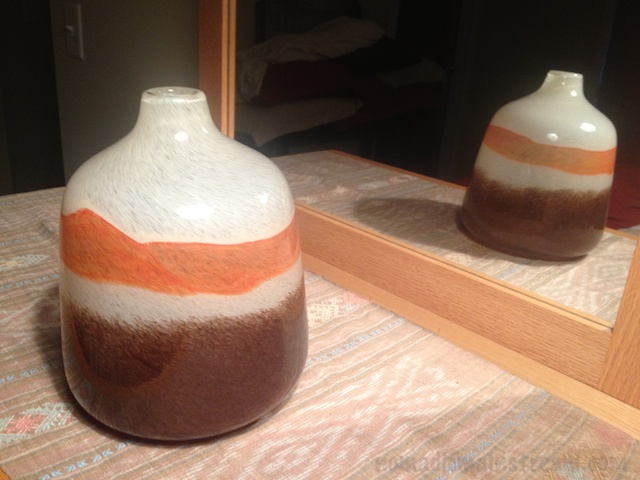
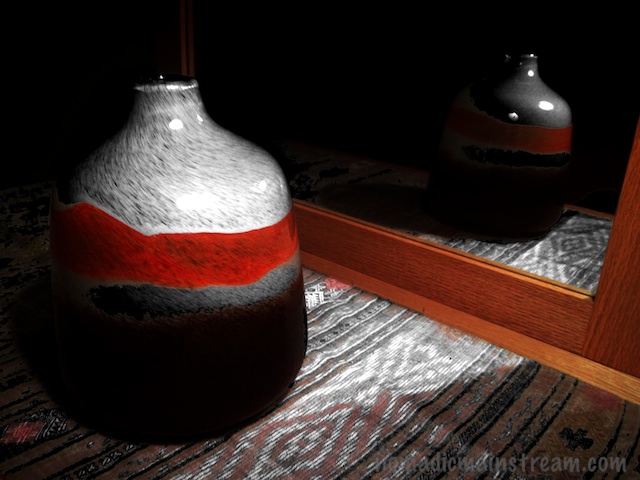
Photoforge has many more editing tools than Snapseed and may, for that reason, be less appealing to the photo-editing-fobes of the world.  I stuck with only one menu of tools (filters) and played with some of the adjustments to get this very dark version of the image.

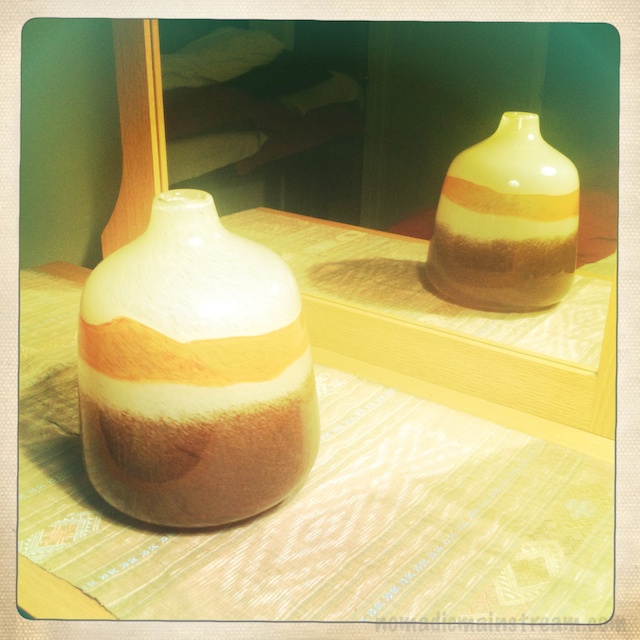
I like the way the detail in the weaving under the vase pops in this edit as well as the strong contrast between the light and dark areas.  I also like that the background went to black and left only a partial reflection of the vase in the mirror.

Imaged edited with Photoforge

Imaged edited with Photoforge

The best feature of Photoforge that I used was the undo button.  It allowed me to try whatever adjustment I wanted and then undo it if I didn’t like it.

A fun aspect of doing photo editing on the iPhone is that, because I use the Apple iCloud service that syncs all devices via the internet, once I saved my edited versions, they automatically showed up in my Aperture photostream on my laptop.  I could have done further adjusting in Aperture easily, although I didn’t for the sake of comparing effects from the apps themselves.

Tisen remains unimpressed by technology.  All he wants to know is when I will stop playing with my phone and take him for a walk.  I obliged.  Although the photo of Tisen was actually taken the next day–more on that later.

IPhone Dogs

Black and white in black and white

Black and white in black and white

Since I worked too late to have time to do much experimenting with either my iPhone or my DSLR tonight, I decided it was a good time to review photos taken with my iPhone and determine its limitations and advantages.

I decided to pick only iPhone photos of Tisen and/or Twiggy, Tisen’s friend who sometimes stays with us.  When we run into Twiggy in the park, Tisen bounds up to her like he can’t believe how long it’s been since he’s seen her.  She seems less excited to see him.

Tisen is holding still; I am not

Tisen is holding still; I am not

The first challenge with using a camera phone is stability–or, rather, lack there of.  This results in many slightly blurry images.  I believe there are several causes of the motion blur that occurs in so many of the shots that would otherwise be adorable:

  1. Hand holding the phone far from the body (and sometimes in awkward positions) while looking at the screen to see the shot
  2. Slow shutter speeds that cannot be controlled
  3. Delay in firing that often results in a dog going from standing/sitting/lying still to a dog in motion by the time the camera actually takes the shot.
An adorable puppy pile, except the blown out whites on Tisen and the blur from motion

An adorable puppy pile, except the blown out whites on Tisen and the blur from motion

I will have to experiment more with the rapid fire mode in the Camera+ to see if that helps at all.  With my DSLR, rapid fire mode helps to capture many images shot very quickly, increasing the odds that at least one of them will be sharp.  Of course, with my DSLR, I can control the shutter speed to help stop motion as well.

Haze from the light at the right

Haze from the light at the right

The second challenge relates to shooting in lower light situations.  I have taken to using the “flash” feature in my iPhone camera quite a bit when shooting Tisen and/or Twiggy.  This helps with the motion blur issues as well as the problem of a camera with a tiny sensor.  However, that introduces more issues:

The whites on Tisen's face are blown out from the flash

The whites on Tisen’s face are blown out from the flash

  1. In low light, photos become grainy and any motion is captured whether you want it to be or not.
  2. Using the flash often blows out the highlights; they cannot be recovered in the software I have and result in having to choose between blown out highlights and gray patches.
  3. Background light seems to create a great deal of haze, often leaving an otherwise sharp subject looking blurry.
The sun light on the left side creates a hazy effect

The sun light on the left side creates a hazy effect

The depth of field is quite amazing, however.  Although Twiggy’s head is blurred because she was moving, notice how the rug is sharp all the way to the front edge of the frame and Tisen is also sharp far in the background.

Sharp from front to back, except for Twiggy's moving head

Sharp from front to back, except for Twiggy’s moving head

So, I need to work on finding a way to hold the camera more steady.  I also need to work on controlling lighting.  This is a bit counter-intuitive for me.  After all, I usually shoot with my iPhone because it’s the most convenient camera I have handy when something i want to capture is happening.  Usually with the dogs.  Trying to get light on my subject would likely result in him running away.  We shall see . . .


Still pups but more motion blur from unsteady hand holding

Still pups but more motion blur from unsteady hand holding

Mini Still Life

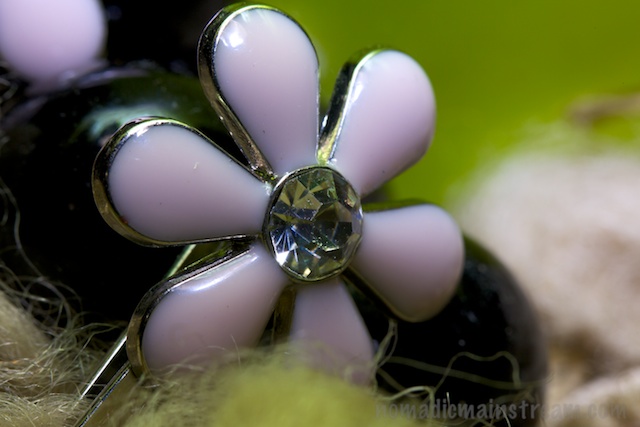
Side-lit, the decoration on a bobby pin takes on lots of shine

Side-lit, the decoration on a bobby pin takes on lots of shine

Here I am on a Tuesday night.  It’s Chinese take out night.  We’ve gotten our food, returned home, eaten (sans fortune cookies because I forgot to grab some on the way out and they never put them in the bag at this place), and it’s theoretically time to unwind and relax for the rest of the evening.

This, of course, translates to “time to write my blog” for me.  And, the realization that I have no pictures from the weekend causes me to scratch my head.  I ponder what I can possibly do for a photographic experiment tonight.  I decide to try something I’ve never tried before:  macro with flash.

But now, I need something to shoot.  Something small.  Really small.

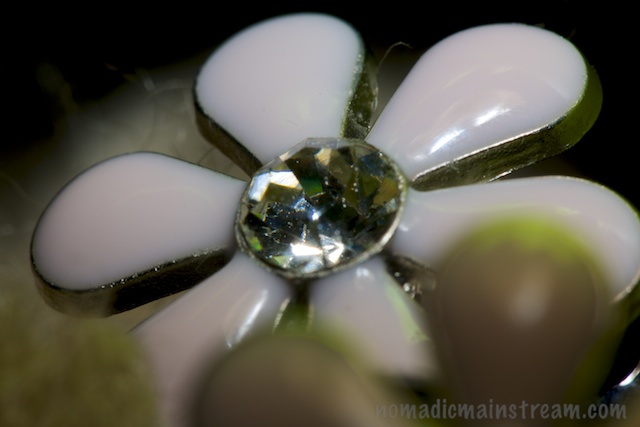
The snoot produces less sparkle

The snoot produces less sparkle

My eyes fall on the fluffy area rug in the living room.  It has lots of great texture, but I want something shiny with the flash.

I end up digging a couple of bobby pins out of my jewelry box and positioning them with some black glass beads on the carpet.  I find a hand-shaped hair-dryer diffuser and decide it will add some background color.

Laid back view of the flower--not as sharp at this angle

Laid back view of the flower–not as sharp at this angle

I start with a snoot on the flash to see what happens when I use it to direct the light onto the subject (a snoot is like a narrow tube around the flash).  After shooting with a snoot for a while, I decide the light looks flat and I should try bouncing the flash off of something instead. The trouble is, what to bounce it off of?  I’m in the middle of a large room shooting something that’s about a half an inch wide.

Straight on with the snoot has the least sparkle

Straight on with the snoot has the least sparkle

I pull out my mini reflector and position my tripod in such a way that I can get it to stand up.  I’m so proud of myself, I have to take a picture of my setup.  This gives me the opportunity to practice iPhone photography in the same shoot!

I’m over-the-top-excited now.  I use the new app I downloaded yesterday, Camera+, and try to make use of the levels on the screen to get something reasonably straight.  I don’t know how to tell if I succeeded or not from all the angles in the image, however.

My setup for the side-lit image at the top

My setup for the side-lit image at the top

As you may be able to tell, my DSLR has 3 extension tubes on it in addition to the 100mm macro lens.  I’ve got the flash swiveled to the right to bounce off the reflector hanging on the tripod.  For those of you who don’t care about the setup, can you find the subject of the other images? Pretty small, huh?

I had a lot of fun with this.  I don’t know exactly why I find this fun, but I do.  However, Tisen wasn’t so amused by my shenanigans.  At one point, I had my tripod with the legs stretched out flat on the floor, he came over and laid on top of one of the legs.  Maybe he was just trying to help?

A blurry Tisen with a stuck lip--a sure sign he jerked his head up from a cat nap

A blurry Tisen with a stuck lip–a sure sign he jerked his head up from a cat nap

iPhone Couch Potato

Close-up of dinner, which happened to be in my lap

Close-up of dinner, which happened to be in my lap

In a moment of desperation, after realizing I had no photos for this post and it was already after 9PM, and, more importantly, I had already crashed on the sofa and Tisen had burrowed in next to me, I decided it was a good time to experiment with my iPhone.

Recently, my bestie suggested writing a “how-to” on taking better photos with a smart phone for people like her.

I like the idea of teaching photography, although I’m not a pro and I have much to learn.  The thought of teaching photography in simple non-technical terms for people who don’t want to be pros relieves some of the pressure.

The problem is, I rarely use my iPhone for photos.  And when I do, my photos usually suck.  So, I figured I could use a few lessons myself.

The problem with shooting blind is not knowing what ended up in the frame until after the shot has been taken

The problem with shooting blind is not knowing what ended up in the frame until after the shot has been taken

I did some googling on taking better photos with an iPhone over the weekend.  I didn’t find much that was particularly helpful.  Most the articles I found either provided tips that apply to any photography or mentioned changing settings I couldn’t figure out how to change.  I tried searching for camera apps to see what I was missing.  I did find an interesting app that provides some control of the exposure and has a setting that turns the LED on so you can see what’s in your frame before you shoot in the dark.  I couldn’t however, find the advertised pre-sets for different types of subjects.

It’s funny how I used to figure out how to do really confusing and technical things and now I suddenly can’t figure out how to work iPhone apps.  Am I getting old?

Tilt and yaw created a bad angle, although you can at least see that Tisen has his nose covered

Tilt and yaw created a bad angle, although you can at least see that Tisen has his nose covered

In any case, I attempted to do some couch potato shooting.  I was parked laptop in lap and dog at my side–it’s hard to get motivated to get up sometimes.

I think I figured out why I usually end up hating my iPhone shots:

  1. I frequently use the iPhone to take shots I would never attempt with my DSLR.  For example, holding my iPhone out at arm’s length and trying to get a portrait of Tisen while shooting in a dark room (which means I have to have the screen facing away from me for the “flash” to work and I am shooting completely blind).
  2. I have a very difficult time holding the iPhone straight in all 3 directions (or even 1 direction) because I have to hold it away from me to view the screen since there is no viewfinder.  I frequently try many times to get the angle I want and still don’t quite get it.
  3. I haven’t found anything that let’s me control depth of field.  I really miss controlling depth of field.


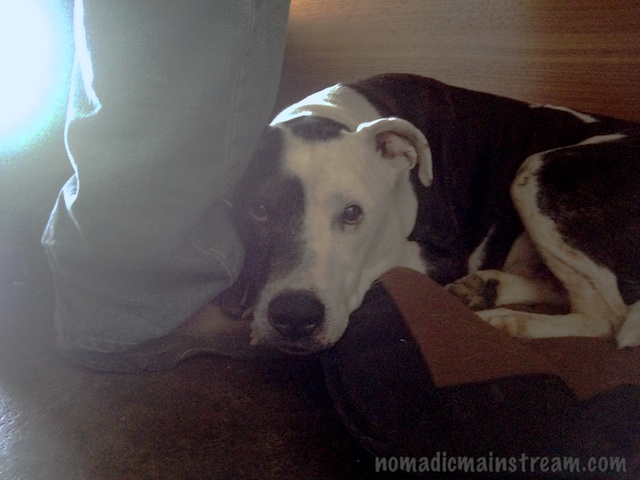
Top down view of Tisen cuddling against my leg, showing off his spotted head

Top down view of Tisen cuddling against my leg, showing off his spotted head

That said, the photographer’s adage is “the best camera is the one you have with you” and there is a lot to be said for smart phone cameras when it comes to having them with you–even when you’re just laying around on the sofa.

Taken with the app I just downloaded, with the LED on, I'm able to get better exposure

Taken with the app I just downloaded, with the LED on, I’m able to get better exposure

Sunday Afternoon

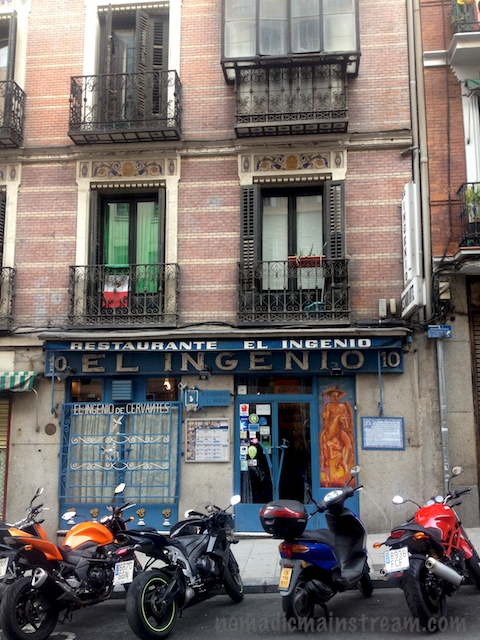
The front of the restaurant

The front of the restaurant

Traveling to Europe is something I really do not enjoy.  Don’t get me wrong.  I love Europe.  It truly is a different world from the US and everyone should experience at least some part of Europe first hand.  I just don’t like getting there.

I left my home at 11AM on Saturday morning in the first “snow storm” we’ve had since moving here.  It took nearly an hour to get to the airport (normally a 15 minute drive) because there was about an inch of snow on the ground.  With no snow clearing equipment and lots of steep climbs, traffic was a mess.

It's not a biker hang out--this is just typical in Europe where gas is so expensive

It’s not a biker hang out–this is just typical in Europe where gas is so expensive

When I arrived in Madrid, it was about 9:00AM Madrid time Sunday morning.  AKA 3AM Eastern time.  Therein lies the problem.  The vast majority of the time I would have spent sleeping evaporated into thin air.  Fortunately, my hotel room was available for an early check in and I managed to lie down for a nap by 11AM.

One of my well-traveled colleagues called my room at 1PM and informed me we were going into town and we were leaving immediately.  I had apparently missed a few text messages while I was napping.  I jumped out of bed, splashed water on my face, threw on some clothes, and was in the lobby 10 minutes later.

Couldn't help but drool a little over the Ducati

Couldn’t help but drool a little over the Ducati

Getting outside is quite important to time shifting.  The sun helps your body reset its clock.  So, although still somewhat incoherent, I forced myself to join my colleagues on this little adventure.

Since the conference we were there to support was at an airport hotel, it was about a 20 minute cab ride to the center of town.  Fortunately, one of my colleagues is fluent in Spanish and managed to convince the driver to go through town rather than taking the freeway so we got a bit of a tour on the way.

Closer view of the restaurant - not a big place

Closer view of the restaurant – not a big place

Armed only with an iPhone for a camera, I attempted to get some shots of the city.  Wow is it hard to get decent landscape photos with an iPhone!  I have admired other bloggers’ iPhone photos in the past–I am now in awe of their abilities.  The dynamic range of the iPhone is not good and I found it impossible to hold it stable or straight.  The dynamic range issue was exacerbated by the fact that it was early afternoon with strong shadows and bright sunlight.  But, I wasn’t about to lug my 5D Mark III along on a business trip–the iPhone was better than nothing.

We wandered our way through the streets to a tiny restaurant known to my Spanish-speaking colleague.  The couple who owns the restaurant greeted us and welcomed us in a way that made us feel like we were visiting their home.  They patiently explained the menu to us, sometimes in English, sometimes in Spanish.  They served us pitchers of Sangria freshly made and filled our bellies with traditional Spanish dishes.

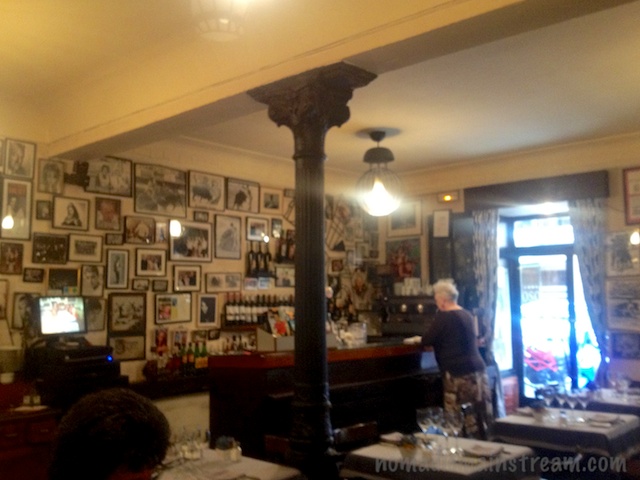
Attempted to get a shot of the inside--not so good with iPhone, but gives an idea

Attempted to get a shot of the inside–not so good with iPhone, but gives an idea

I was really glad I’d gotten out of bed.

Photostreaming

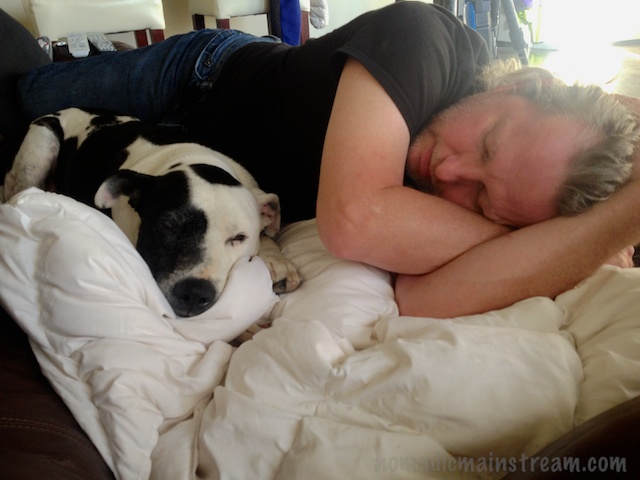
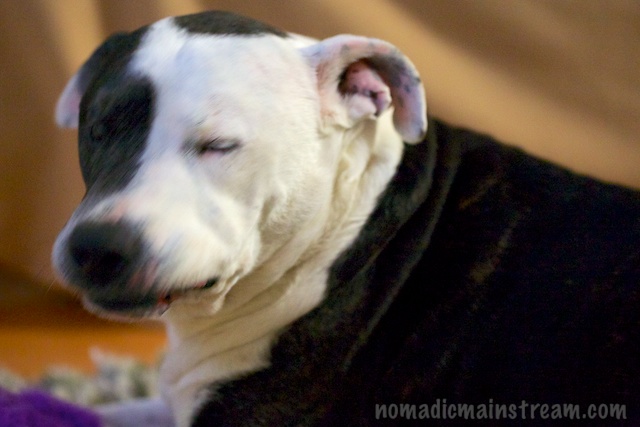
Tisen has adopted a human style of sleeping.

Tisen has adopted a human style of sleeping.

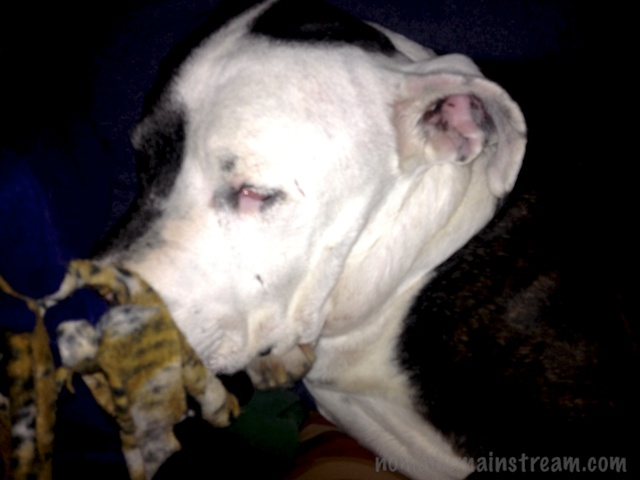
Tisen isn't fussy when it comes to what he's willing to use as a pillow.

Tisen isn’t fussy when it comes to what he’s willing to use as a pillow.

Tisen can't decide whether to give in to his desire for a belly rub or his need to protect me from this stranger.  He splits the difference by rolling over while growling.

Tisen can’t decide whether to give in to his desire for a belly rub or his need to protect me from this stranger. He splits the difference by rolling over while growling.

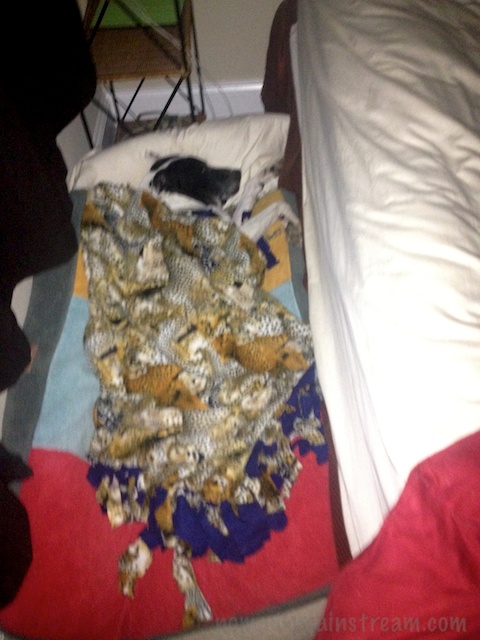
Tisen seems to have gotten things reversed with his rear end high on a pillow.

Tisen seems to have gotten things reversed with his rear end high on a pillow.

Twiggy manages to curl up with the computer.

Twiggy manages to curl up with the computer.

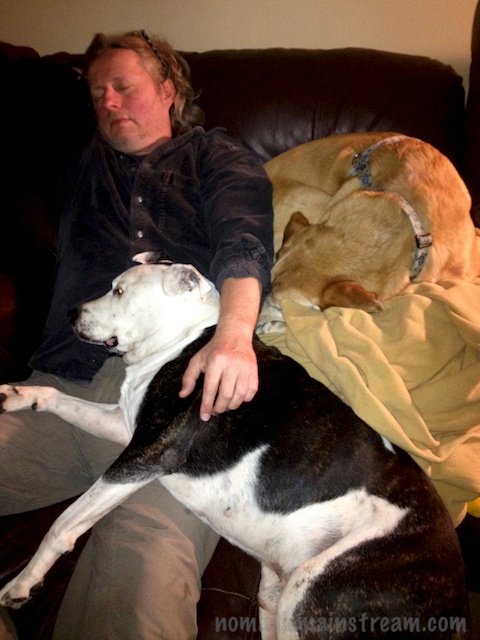
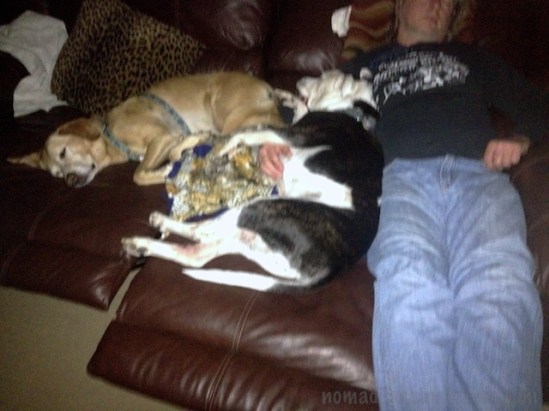
Twiggy, Tisen, and Pat all curl up for an afternoon siesta.

Twiggy, Tisen, and Pat all curl up for an afternoon siesta.

Well, here we are, getting settled in our new home.  Today, we spent a couple of hours this morning cleaning our old apartment and gathering up the last remnants of our life there.  Pat hauled 3 cart loads out to the van while I cleaned.  We still have stuff in the storage rooms down the hall.  That will have to wait until tomorrow.  Or maybe even until after Christmas.

When we returned home, we worked on getting rid of the last of the packed boxes.  We still don’t have a place for everything yet and the photos are scattered around on chairs waiting to be hung, but the unopened boxes are all gone and it’s starting to look like we really do live here.

The new place came with one big surprise we discovered our first night.  When I got into bed, I had the sudden realization that a section of the building can see into our bed through a glass balcony door.  While it’s probably only about 6 units that have a view, that’s 6 more units than I want peering into our bedroom.

As a temporary measure, we brought the shower curtain rod and curtain we’d been using in the bedroom as a closet door (it’s a long story) and hung that over the glass in the door.  It looks great.  The glass in the door is about 6 feet tall and the shower curtain is only 4.  It’s also a black curtain and the building has a rule that all curtains have to be white on the outside.  I’m hoping the blind comes in before anyone complains.  In the meantime, at least we have a little privacy.

All of this “adjusting” has led to me not shooting for quite a while.  In fact, it’s now been nearly two weeks since I last had my camera out on a shoot.  This means I needed to come up with some photos to share today.

Thankfully, I have this wonderful feature called Photostream.  By subscribing to Apple’s iCloud service, whenever I take/upload a photo on one device, it automatically appears on all my devices.  That means all the silly photos I snap with my iPhone show up in Aperture on my macbook pro.

As it turns out, I have a whole collection of poor quality, but cute-as-a-button photos of my crazy dog and his girlfriend, Twiggy.  Tisen has been on steroids again for a couple of weeks now.  It makes him a little crazy.  That and having the woman he loves staying with us day in and day out.  He’s started showing off.

He doesn’t need to carry a toy with him when Twiggy is around.  If he takes one with him, he drops it as soon as we get outside and won’t carry it after that.  It’s as if he doesn’t think it’s manly.

While my iPhone photos don’t do the dogs justice, they still make me smile.